1.2 Connect Your LinkedIn Account
Easily sync your LinkedIn account to setup SmartLists and Campaigns in minutes.
Written By François Delporte
Last updated Over 1 year ago
Why Connect Your LinkedIn?
You can’t scrape leads or launch campaigns without it.
ReactIn needs access to your LinkedIn session (via our Chrome Extension) to:
Visit and scan LinkedIn profiles
Scrape likes, comments, and followers
Send connection invites
Deliver DMs automatically
All while mimicking human behavior—safely.
Once connected, your SmartLists and Campaigns run in real-time.
How to Connect Your LinkedIn Account (Step-by-step)
Install the ReactIn Chrome Extension
⚠️ Make sure you’re logged into LinkedIn in the same Chrome browser.
Click on the Chrome Extension Icon (top right of your Web Browser)
Click on "Sync"
→ The Chrome Extension will sync your session in 3 seconds.
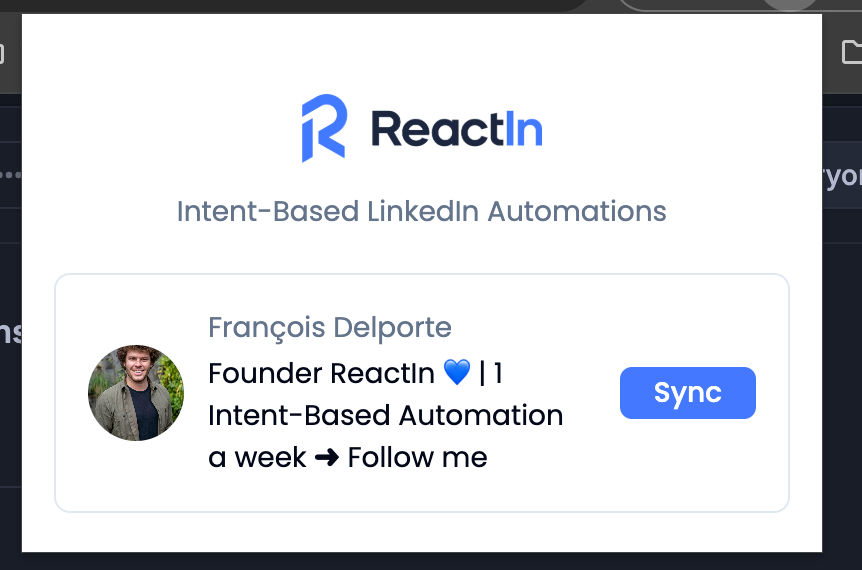
You’re connected ✅
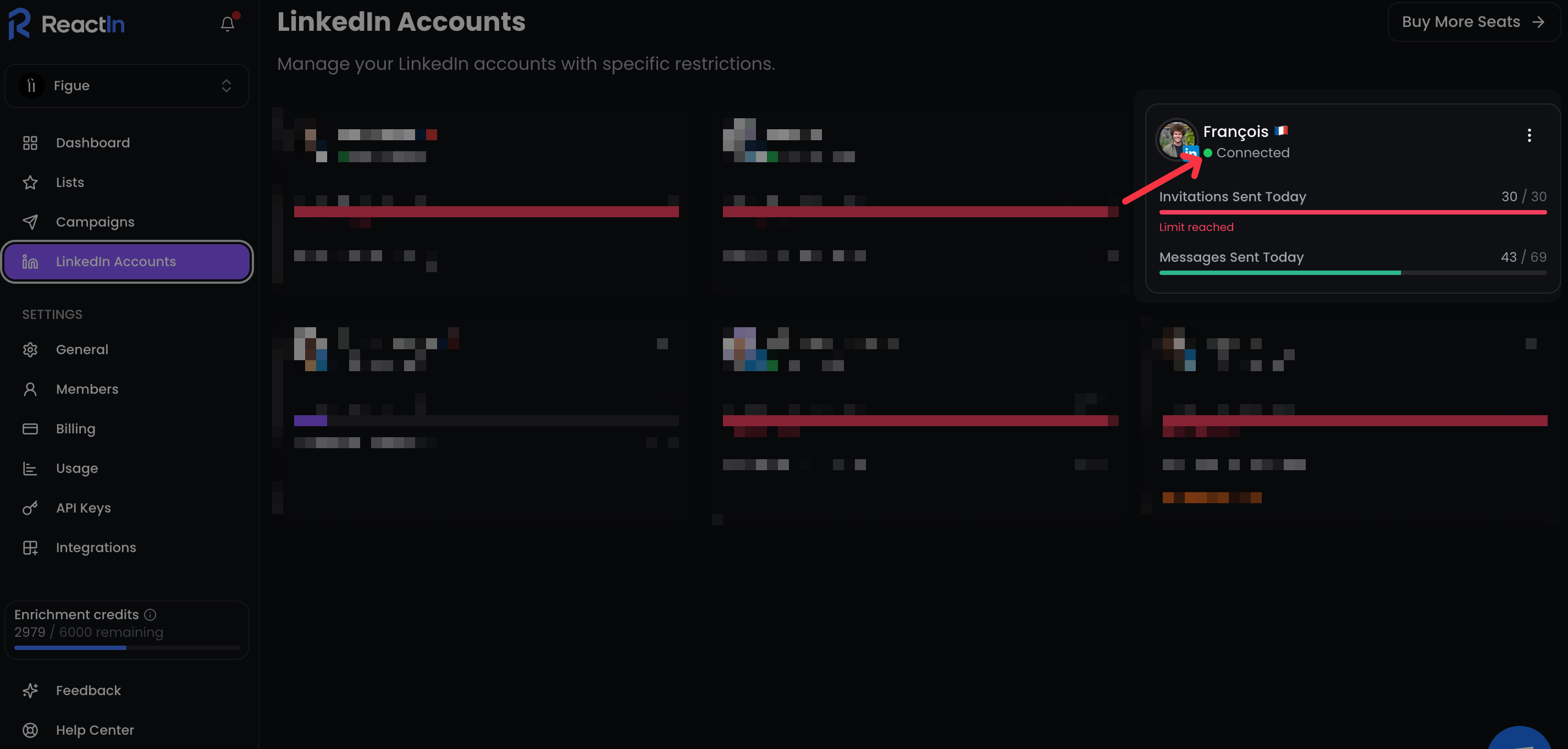
→ You’ll be automatically redirected to ReactIn’s Dashboard. If you want to check if you’re connected or not, you can go to “LinkedIn Accounts” in the Sidebar, and you’ll see a green dot when ReactIn is live with your LinkedIn 👇
💡 Pro tip: Pin the ReactIn Extension in your browser to check your connection status at any time.
Ready to move on?
👉 Next Step: Create Your First SmartList →